

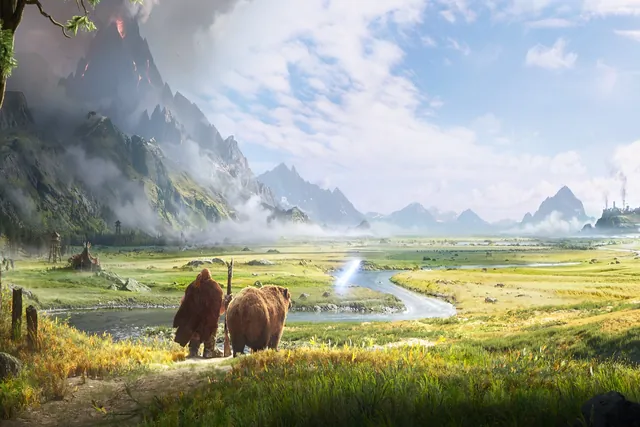
What is World of Warcraft: Forever?
World of Warcraft: Forever is Blizzard’s third World of Warcraft experience.
It runs as a permanent game alongside modern WoW and WoW Classic.
It is not a temporary season, a game mode or a new release of Classic.
Its foundation is the original level 1–60 Azeroth.
The story starts after Warcraft III Reforged: Forsaken Kingdom and before Molten Core.
New quests, zones, dungeons, raids and systems expand that era in its own timeline.
The sections below follow Blizzard’s New Player’s Starter Guide from October 28, 2026.

Launch time and where things stand
Beta, name reservation and launch (U.S. Pacific time)
Launch: November 4, 2026 at 3:00 p.m. PST in the Americas (Blizzard’s launch article).
In Europe that is November 5 at 12:00 a.m. CET, and in Korea 8:00 a.m. KST.
Check the time for your region before you plan launch day.
The beta began on September 17 and closed at 10:00 a.m. PDT on October 23.
Early Name Reservation runs from October 27 through November 3.
It opened at 1:00 p.m. PDT in North America and 18:00 CET in Europe.
Access comes with a pre-purchased Skyborne Heroic Pack or Skyborne Epic Pack.
The Warcraft Forever Collection includes it as well.
You can create up to three characters across all rulesets.
Names are first come, first served, and Blizzard does not guarantee any name.
Before you begin: account, subscription and install
Create a Battle.net account, verify your email and choose a secure password.
Consider two-factor authentication as well (Blizzard’s suggestion).
WoW Forever is included with an active World of Warcraft subscription or Game Time.
Install World of Warcraft in the Battle.net desktop app.
Then select World of Warcraft: Forever from the available game versions.
You can play on Windows or Mac with a keyboard and mouse.
Controller support is available in a beta state for gamepad players.
Check the current system requirements before you install.
The packs and the Collection are optional upgrades, not needed just to play.
The Skyborne race, however, needs the Heroic Pack or a higher digital upgrade.
If you want an upgrade, check its price and contents in your regional Battle.net Shop.
Get ready in this order
- AccountBattle.net account, verified email, two-factor authentication
- SubscriptionActive subscription or Game Time
- InstallBattle.net app, then pick WoW Forever as the game version
- RequirementsCompare your computer with the official list
- NamesReserve them if you pre-purchased an upgrade
- Launch timeCheck the time for your region
First login: Classic or Enhanced preset
The first time you log in, the game asks you to choose an experience preset.
You make this choice before you select a ruleset.
Classic starts with simpler visuals and fewer modern interface features.
That is a cleaner, more original-style start with less automatic guidance, per Blizzard.
Enhanced starts with higher visual fidelity and more interface features turned on.
The six starting settings differ as shown in the table.
| Starting setting | Classic | Enhanced |
|---|---|---|
| Character models | Standard Definition | High Definition |
| Quest points of interest and objective blobs | Off | On |
| One-bag | Off | On |
| Transmog | Off | On |
| Default keyboard binds | Camera turning | Strafe movement |
| Screen UI layout | Classic | Centralized |
Starting settings as listed in Blizzard’s New Player’s Starter Guide.
Not sure? Start with Enhanced, as Blizzard suggests.
The preset is a convenient starting point, not a lock-in.
You can change each setting later under Game Menu > Options.
The preset screen appears only at your first login.
Choose a ruleset and faction with friends
After the preset, you choose a ruleset before you create a character.
It decides how player-versus-player combat works and which community rules apply.
Normal, PvP, Roleplay and Roleplay-PvP are available at launch.
Hardcore is planned for later, and Blizzard will share details and timing later.
| Ruleset | Available | Factions per account |
|---|---|---|
| Normal | At launch | Both |
| PvP | At launch | One |
| Roleplay | At launch | Both |
| Roleplay-PvP | At launch | Not announced |
| Hardcore | Later | Both |
From Blizzard’s ruleset article and starter guide. Different rulesets or factions cannot group.
Normal focuses on adventuring; you fight other players only when you choose to.
On PvP, opposing players can attack you through much of the open world.
Roleplay adds naming and behavior rules for players who want to play in character.
Roleplay-PvP pairs those rules with a PvP focus and near-constant risk of attack.
You can group, join guilds, run dungeons and raid only within one ruleset and faction.
Agree on both choices with friends before anyone creates a character.
Unsure where to begin? Blizzard calls Normal a welcoming place to learn.
On the PvP ruleset, an account can create characters for only one faction.
Whether Roleplay-PvP has the same one-faction rule is not announced.
You cannot hop between rulesets; to play on another, you create a new character there.
In our November 2 forum list, a thread proposing periodic ruleset switches had 42 likes.
That kind of switching is not allowed under Blizzard’s current rules.
Create your first character
Your faction, Alliance or Horde, sets your starting communities, cities and stories.
Your race sets your look, starting location and racial abilities.
Your class decides how you play, from melee and ranged attacks to healing.
Skyborne join either the Horde, with access to Shaman, or the Alliance, with Mage.
Both sides begin on Zephras Isle, a level 1–12 starting zone.
Skyborne need the Heroic Pack or a higher digital upgrade.
For each new character you pick HD or SD character models and animations.
This affects only appearance, not abilities or progression.
You can change it later in the Options menu or at a Barbershop.
Each character has two names: a main name and a secondary name.
The full combination must be unique within your region.
You can hide it under Options > Nameplates > My Secondary Name.
The secondary name still appears in chat.
Your first hour: quests, map and hotkeys
Characters with an exclamation point over their heads have quests for you.
Accepted quests go to your Quest Log, and their objectives appear on screen.
A question mark over a character means a finished quest is ready to turn in.
Not every quest may fit in the tracker, so open the Quest Log to see them all.
There you can track or untrack a quest, or abandon one to make room.
The world map shows quest markers and highlighted objective areas.
The minimap also points toward nearby objectives.
Read quest text when you can, because it often holds useful clues.
Watch the level of nearby enemies when you leave the road.
Press Escape and choose Options to change controls, key bindings, chat and more.
These hotkeys open the main windows (from Blizzard’s guide).
| Key | Opens |
|---|---|
| L | Quest Log |
| M | World map |
| P | Spellbook |
| C | Character panel |
| K | Professions |
| Esc | Game Menu |
Hotkeys named in Blizzard’s starter guide. Rebind them under Game Menu > Options > Keybindings.
Combat, death and repairs
Your action bar holds the abilities you use in combat.
Open the Spellbook to see what you have learned and drag abilities onto the bar.
As you level, visit a class trainer to learn new abilities.
Carry food or drink to recover between fights.
Innkeepers sell both and can bind your Hearthstone to their inn.
While you learn, pull one enemy at a time.
If you die, your spirit appears at a nearby graveyard.
Follow the corpse marker on the minimap or world map back to your body.
When you are close enough, select Resurrect to return to life near your body.
Pick a safe spot away from whatever killed you.
You can instead ask the Spirit Healer at the graveyard to resurrect you there.
That damages your gear’s durability and may apply Resurrection Sickness.
Resurrection Sickness greatly reduces your effectiveness, so avoid combat until it ends.
If your character dies
- GraveyardYour spirit appears at a nearby graveyard
- Find your bodyFollow the corpse marker on the minimap or world map
- ResurrectReturn to life near your body, in a safe spot
- Or the Spirit HealerDurability loss and possible Resurrection Sickness
Vendors with an anvil icon repair damaged gear for a fee.
Compare tooltips before you equip, since higher quality is not always better for you.
Gray-quality items have no further use and can be sold to a vendor.
If you sell something by mistake, check the Buyback tab before you leave.
Professions: two primary, three secondary
Professions let you gather materials, craft goods and add features to campsites.
Each character can learn two primary professions and all three secondary ones.
| Type | Professions | What they do |
|---|---|---|
| Gathering (primary) | Herbalism, Mining, Skinning | Herbs; ore and stone; leather and hides |
| Crafting (primary) | Alchemy, Blacksmithing, Enchanting, Engineering, Leatherworking, Tailoring | Potions; weapons and armor; gear enhancements; gadgets; leather and mail; cloth gear and bags |
| Secondary | Cooking, Fishing, First Aid | Food; ingredients; survival supplies |
Per character: two primary professions and all three secondary professions.
Gathering professions are Herbalism, Mining and Skinning.
Crafting professions are Alchemy, Blacksmithing, Enchanting and Engineering.
Leatherworking and Tailoring complete the crafting list.
The secondary professions are Cooking, Fishing and First Aid.
Press K to open the Professions window with your skills, recipes and materials.
Profession trainers in starting areas and major cities teach and raise professions.
If you cannot find one, ask a city guard and follow the marker on your map.
Playing with others
Invite nearby players to a party, join a guild or ask for help in chat.
Dungeon groups usually have five players: a tank, a healer and damage dealers (DPS).
Campsites let players rest, trade and share profession-made benefits.
Emotes such as /wave or /dance let your character gesture and react.
The official WoW Portal Room on Discord is another place Blizzard points new players to.
How it differs from WoW Classic
| What it means | |
|---|---|
| Kept | The 1–60 journey, deliberate combat, class identity, faction separation, a world where travel matters |
| Added | 1,000+ quests, new areas, dungeons and raids, the Skyborne, new race-and-class combinations, revised talents and itemization, deeper professions, campsites, account-wide Legacy |
| Your choice | Classic or Enhanced preset, SD or HD character models, optional transmog, controller support (beta) |
Forever keeps the original 1–60 journey, deliberate combat and class identity.
Factions stay separate, and travel still matters.
It adds more than 1,000 quests, new areas, dungeons and raids, and the Skyborne race.
New race-and-class combinations and revised talents and itemization arrive too.
Professions go deeper, and campsites and an account-wide Legacy system are new.
You also choose a Classic or Enhanced preset and SD or HD character models.
Optional transmog and controller support in a beta state round out the choices.
Blizzard’s five tips for your first adventure
Read ability tooltips and quest text, because both teach you how the world works.
Keep your Hearthstone close and learn flight paths from flight masters.
Repair your gear, sell unwanted items and save coin for training, bags and travel.
Ask for help when a quest feels difficult.
If your first class does not feel right, try another one.
Five tips from Blizzard
- ReadAbility tooltips and quest text
- TravelKeep your Hearthstone, learn flight paths
- CoinRepair, sell unwanted items, save for training and bags
- AskGet help when a quest feels hard
- SwitchTry another class if yours does not fit
Last checked against Blizzard’s official pages: November 2, 2026.
We update this guide when confirmed details change.